KEYCAP STUDIO
Fit Guide
Start with the Compatibility section on the product page. Match its listed size, row and switch stem to the key you plan to replace.
Compatibility
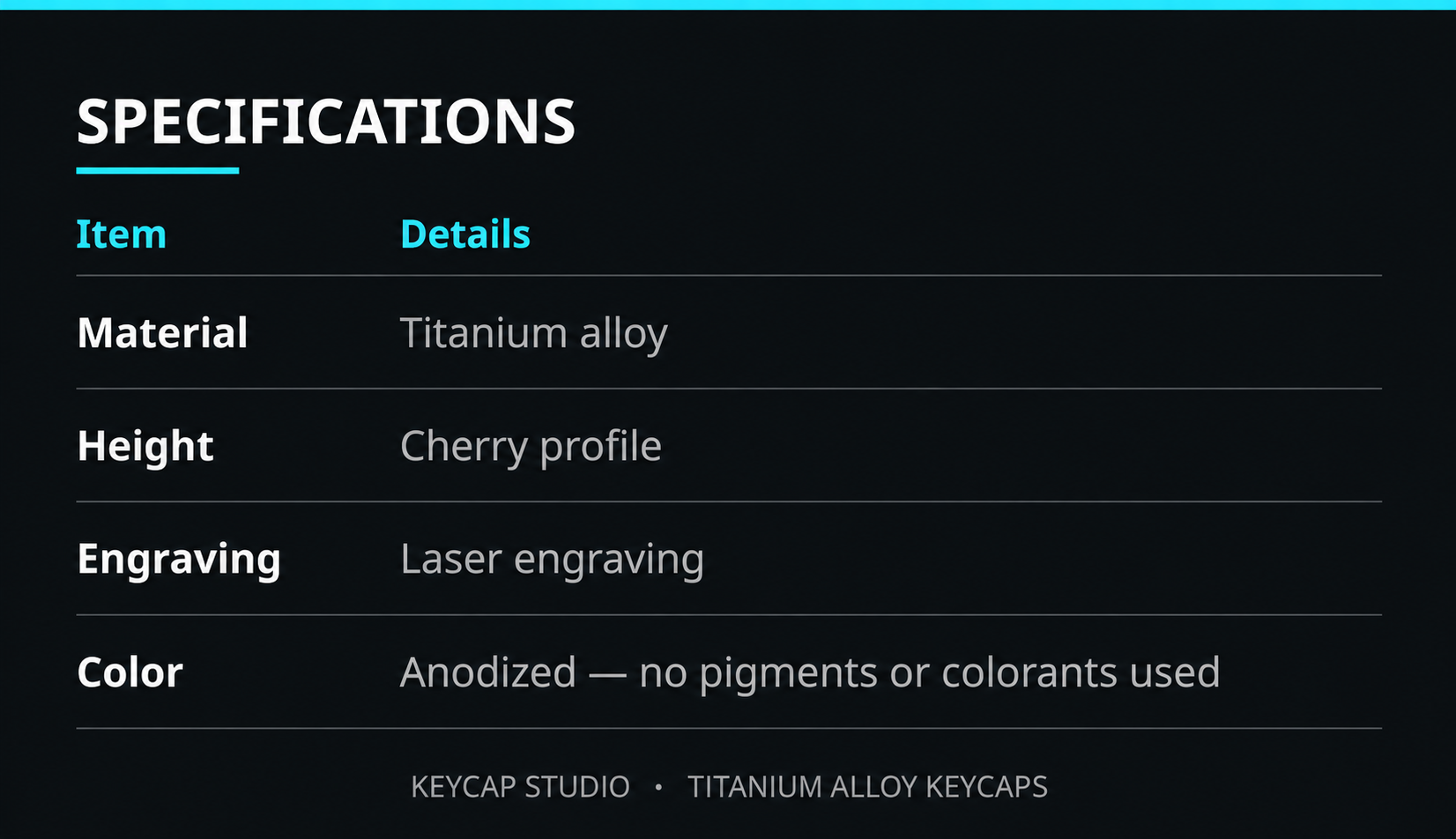
| Material | Titanium alloy |
|---|---|
| Profile | Cherry profile |
| Engraving | Laser engraving |
| Color | Anodized — no pigments or colorants used |
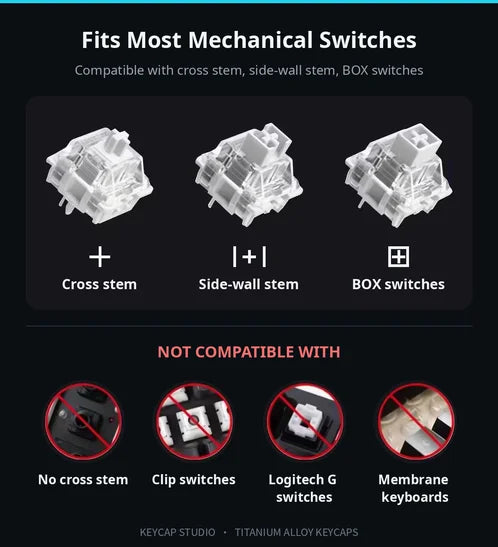
| Compatible switches | Cherry MX / MX-style cross stem, side-wall stem and BOX switches |
| Not compatible with | Switches without a cross stem, clip switches, Logitech G switches and membrane keyboards |
Check the listed key width, row and switch stem against the key you want to replace. A matching width alone does not confirm keyboard fit.
Material and construction guide
Switch-stem compatibility guide

Measure your existing keycap
- Remove the keycap you want to replace and check the switch stem against the compatibility guide.
- Measure the outside width and body height of that keycap using the schematic. Check the listed U size and row on the product page.
- Compare your keyboard layout and the surrounding keys. If the product page does not provide the measurement you need, contact us before ordering.
Key sizes and rows vary by design. Some listings are single keycaps and others are sets; check the listing contents before ordering.
Check your layout
For 60%, 68-key, 75% and 80% layouts, check the individual key size and position. A layout name does not guarantee that every keycap will fit. This collection does not offer a 7U spacebar.
Still unsure? Send your keyboard model and the key you want to replace.